
Single Hub
Manage companies, employees, tasks and documents from one panel.

From occupational health and safety to dangerous goods advisory, from human resources to field operations — manage specialist processes in a single ecosystem.
Why AOFC
Manage companies, employees, tasks and documents from one panel.
OHS, ADR and national regulatory requirements are built into every workflow.
Mobile data reaches the office instantly; approvals and signatures flow digitally.
Plans, inspection reports and notifications are ready as PDF or Excel.
Product family
Start with a single module; add new products to the same ecosystem as your needs grow.


Run your OSGB (Joint Health and Safety Unit) operations and client portfolio end to end.
Learn more →
Bring employees, OHS and specialist modules together in one hub.
Learn more →
Put employee training, OHS, health and career records in their pocket.
Learn more →
Dangerous goods safety advisory (DGSA) compliant with ADR and national regulations.
Learn more →
Manage the candidate and talent journey from job posting to hire.
Learn more →AOFC OSGB
The core capabilities an OHS specialist manages in daily operations at an OSGB (Joint Health and Safety Unit). Full details on the OSGB product page.
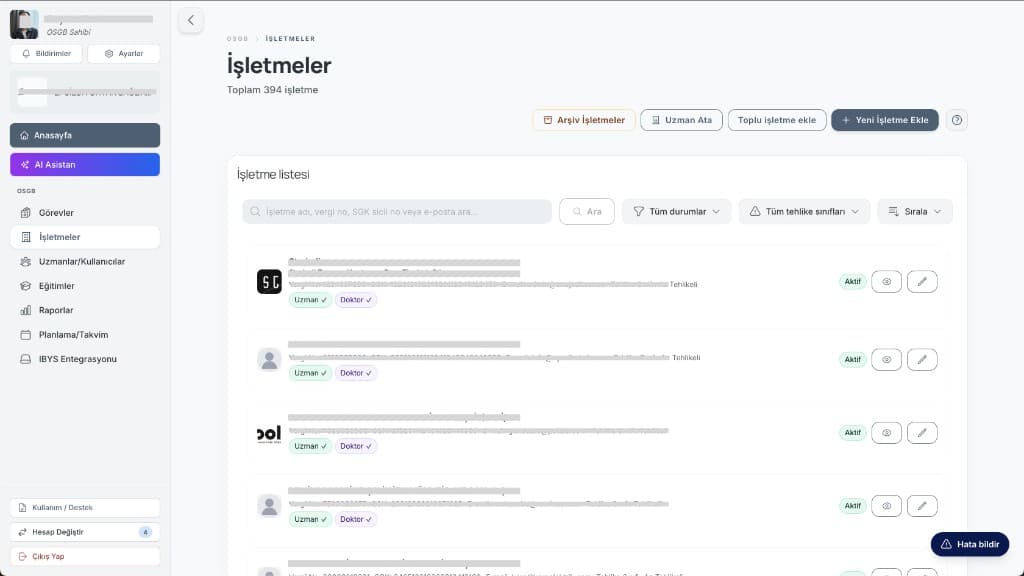
Client workplaces, hazard class, service hours for OHS specialists, workplace physicians and other health personnel (DSP), and authorized staff in a single list.
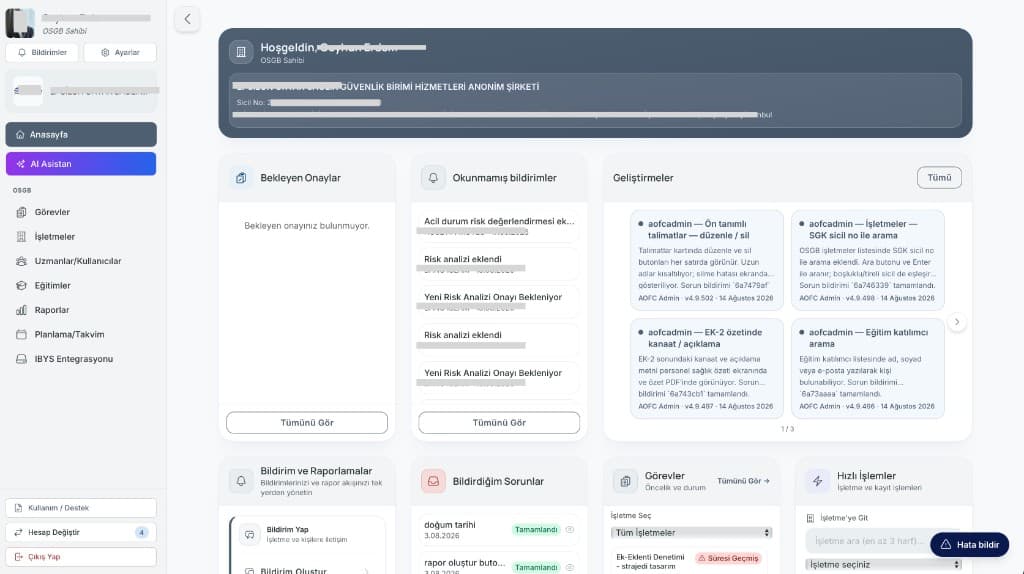
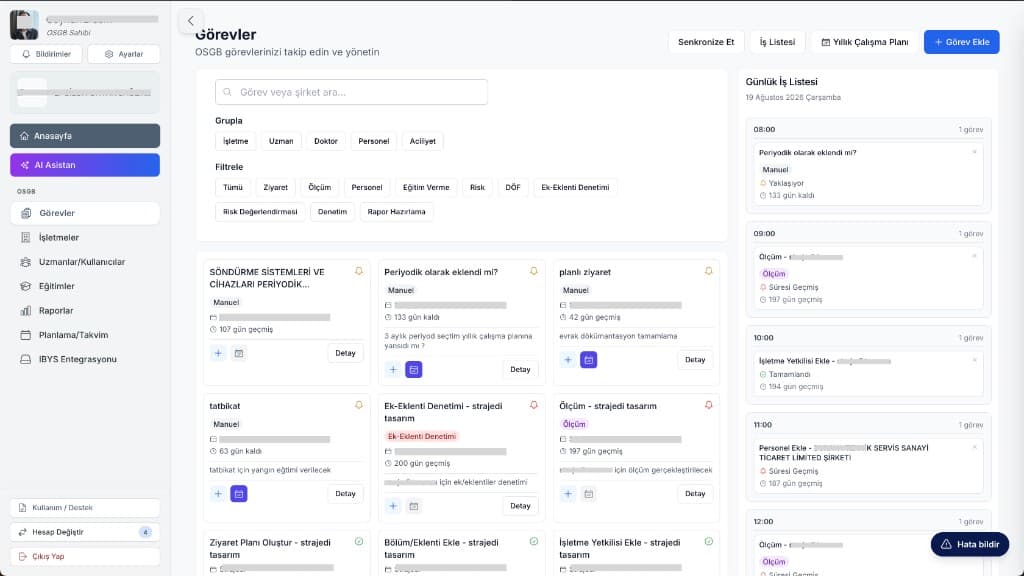
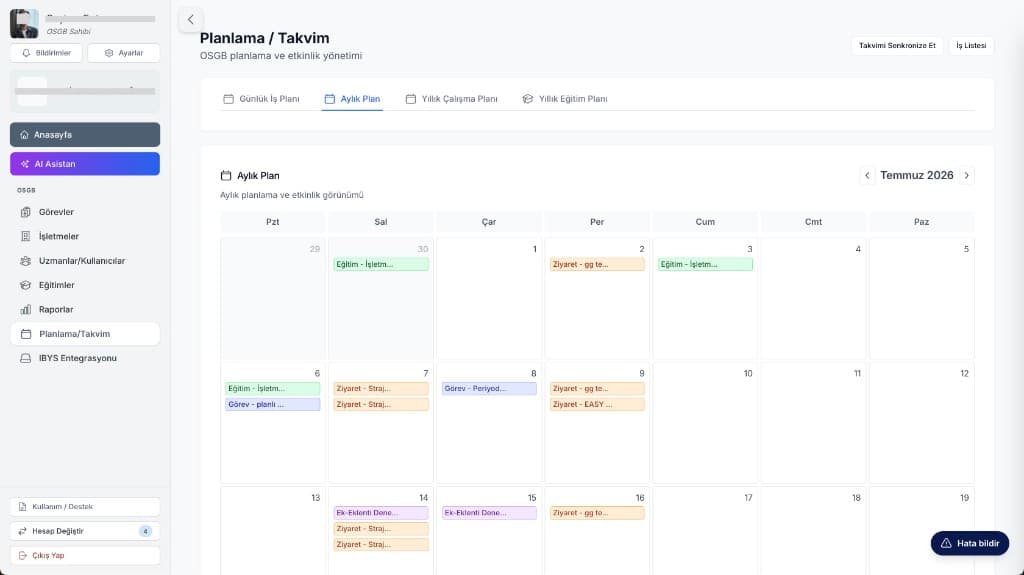
Site visits, trainings, measurements, inspections and CAPA in one task pool; scheduling conflicts are visible on the calendar.
Inspection reports, measurements, permits to work and incident reports from the field; offline sync.
Certificates, PPE issuance, medical reports and incident history in each employee file.
Risk assessment, workplace exposure measurements and the corrective and preventive action cycle.
Planning, attendance, results and renewal reminders.
Annual work plans, inspection reports and assignment letters as PDF or Excel; finalized with e-signature.
Statutory notifications are submitted to IBYS, the official OHS reporting system, directly from the platform; compliance becomes a natural output of the process.
AOFC Business
Manage employees, OHS, risk, training and modular specialist processes from one hub. Full details on the Business product page.
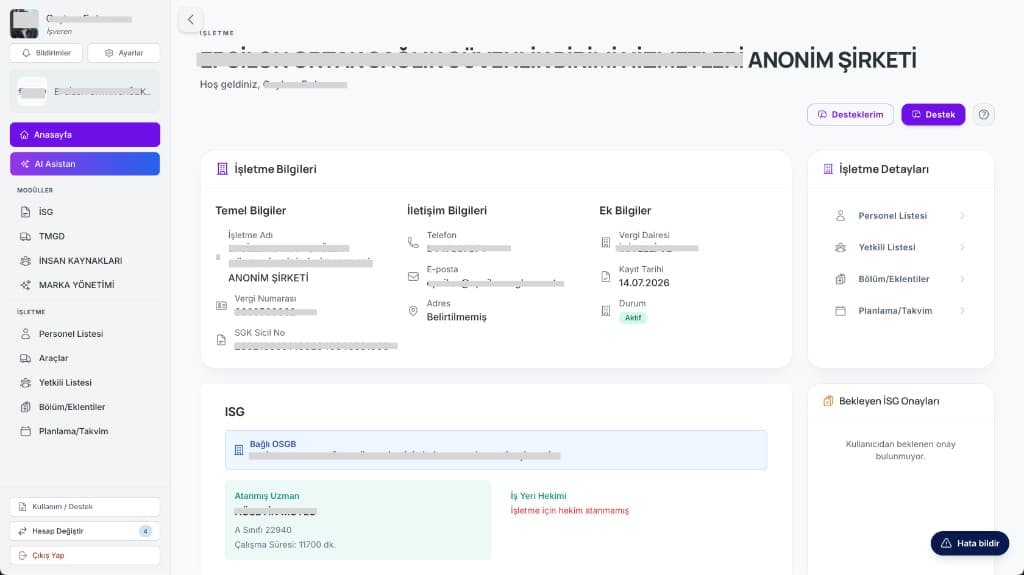
Tax details, SGK (Social Security Institution) workplace registrations and corporate contacts in one profile; upcoming tasks, pending actions and compliance status on a single screen.
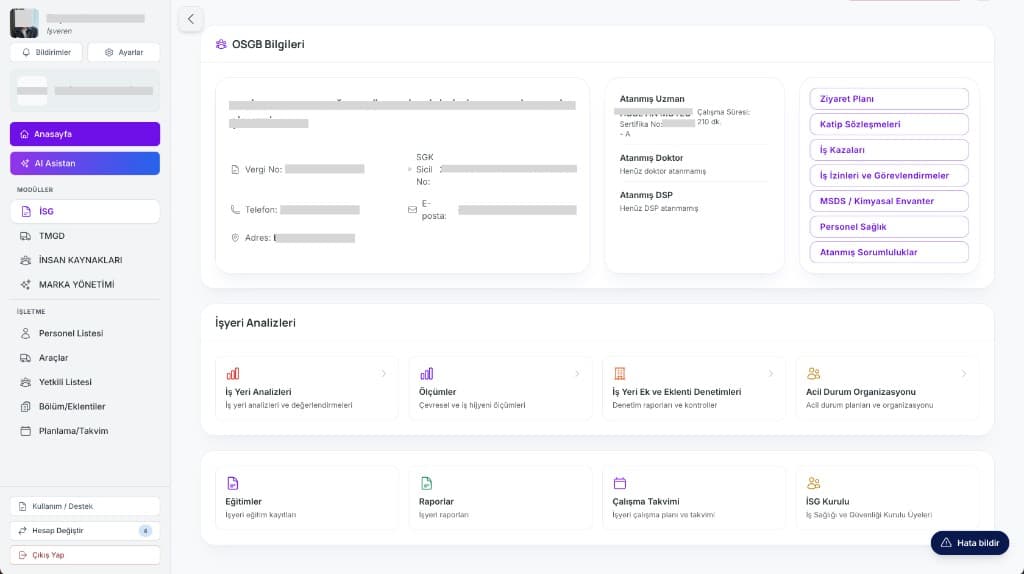
Your org chart lives in the system through a department / sub-unit hierarchy; authorized persons and permission levels are clearly defined.
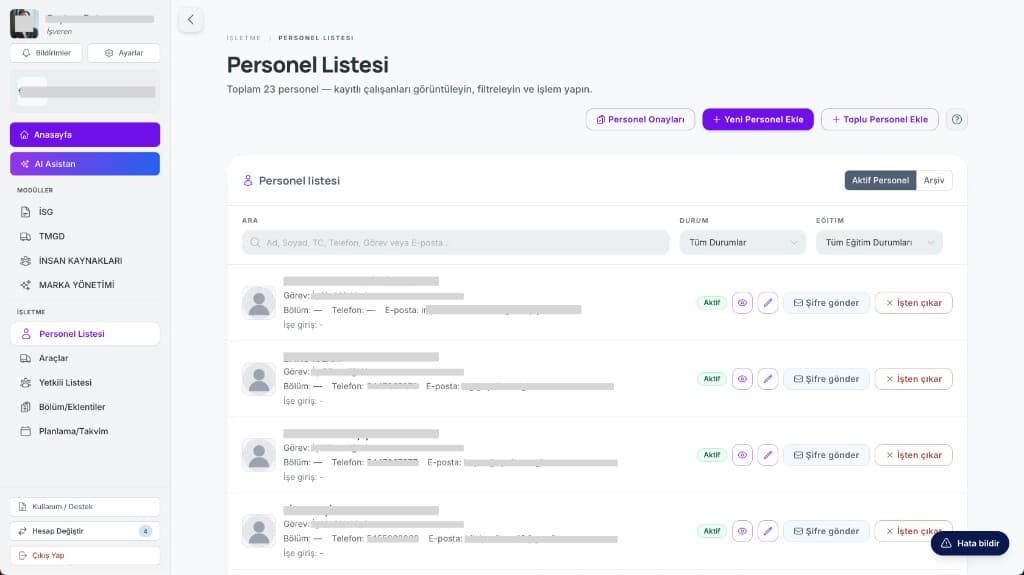
Competency certificates, PPE issuance records, medical reports and occupational accident history in one file per employee.
Risk assessments are created and revised; identified hazards are closed out through the CAPA cycle.
Noise, dust and lighting measurements and department-level inspections are reported digitally; periodic due-date alerts are sent automatically.
OHS trainings are planned and delivered; certificate validity and completion rates are tracked.
Dangerous goods (TMGD), environment, HR, accounting, health and travel modules work together on the same platform.
Site visits and inspection results are entered on mobile; permits to work are approved with e-signature.
AOFC Individual
Manage training, documents, OHS, health and career from the mobile app. Full details on the Individual product page.
Today’s shift, a daily summary and pending tasks greet you when you open the app; location and working hours are visible in real time.
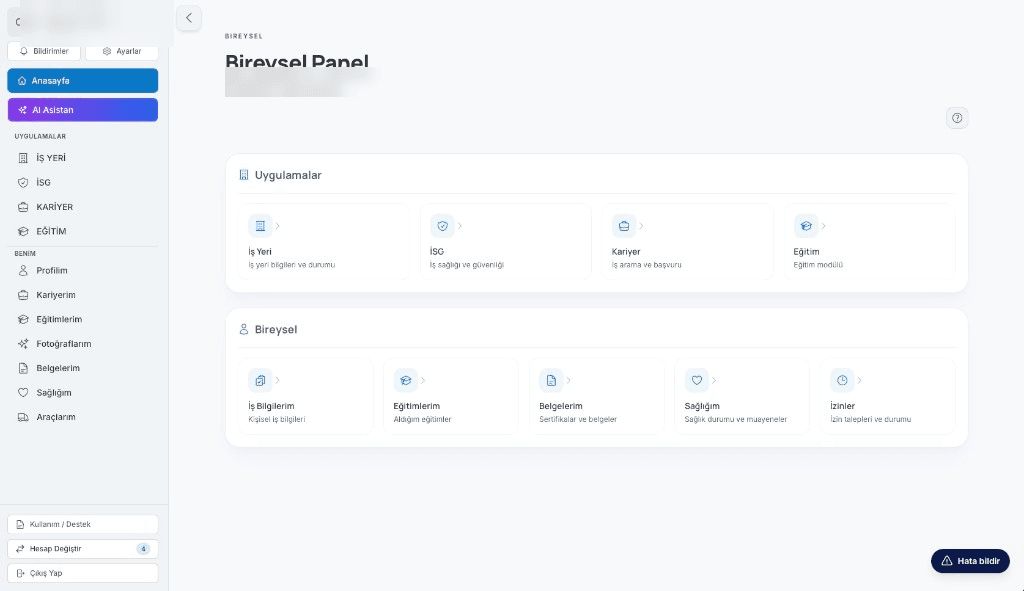
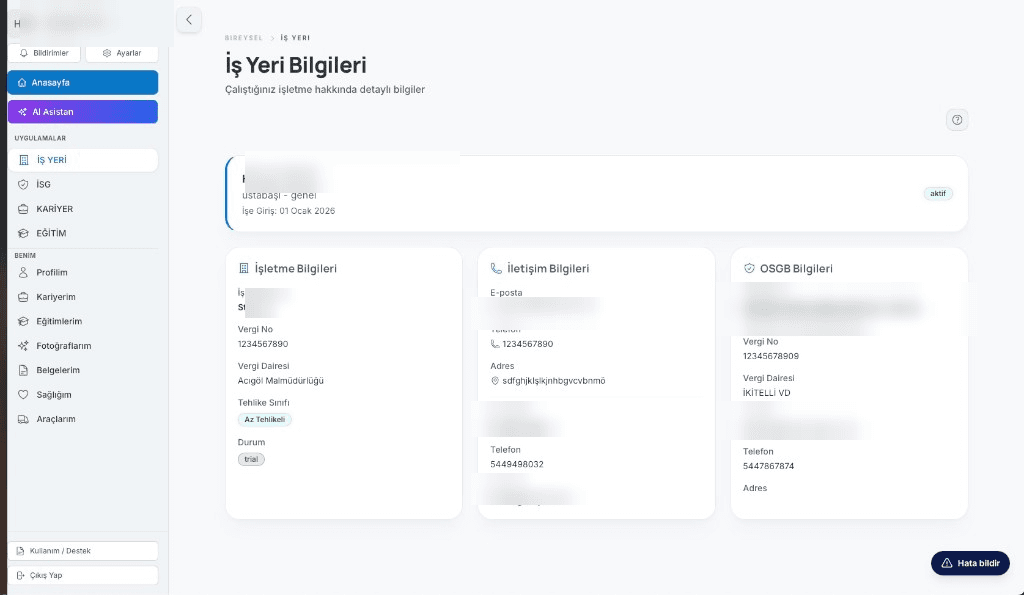
Assigned trainings, materials and professional certificates in a digital folder; advance alerts for expiring certificates.
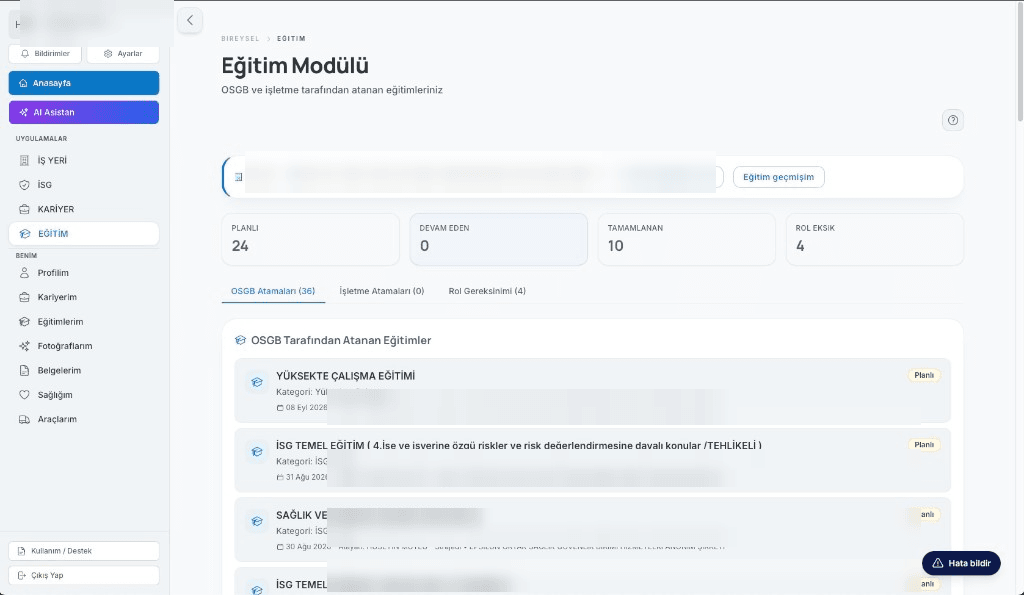
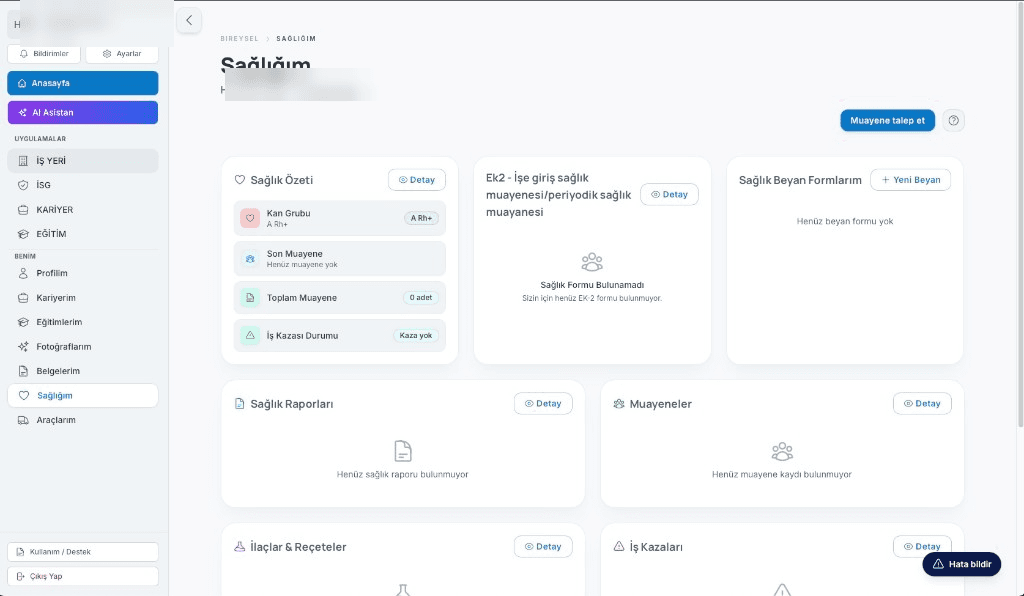
Official professional documents are kept in a smart archive that tracks expiry dates; uploading and sharing take seconds.
Daily workload is planned by priority, organized into categories and tracked through to completion.
Report hazards in seconds; issued protective equipment is visible and return requests are handled digitally.
Mobile access to your health summary, examination schedule, lab results and official medical reports.
Discover current job opportunities, apply with a single tap and follow your application live.
Experience, education and achievements in one profile; prepare CV versions for different needs.
AOFC TMGD
For Dangerous Goods Safety Advisers (DGSA): manage site inspections with ADR checklists, company compliance, documents and U-ETDS submissions from a single cockpit. Full details on the TMGD product page.
Active client companies, pending site visits and open CAPAs on one panel; documents due for renewal are highlighted.
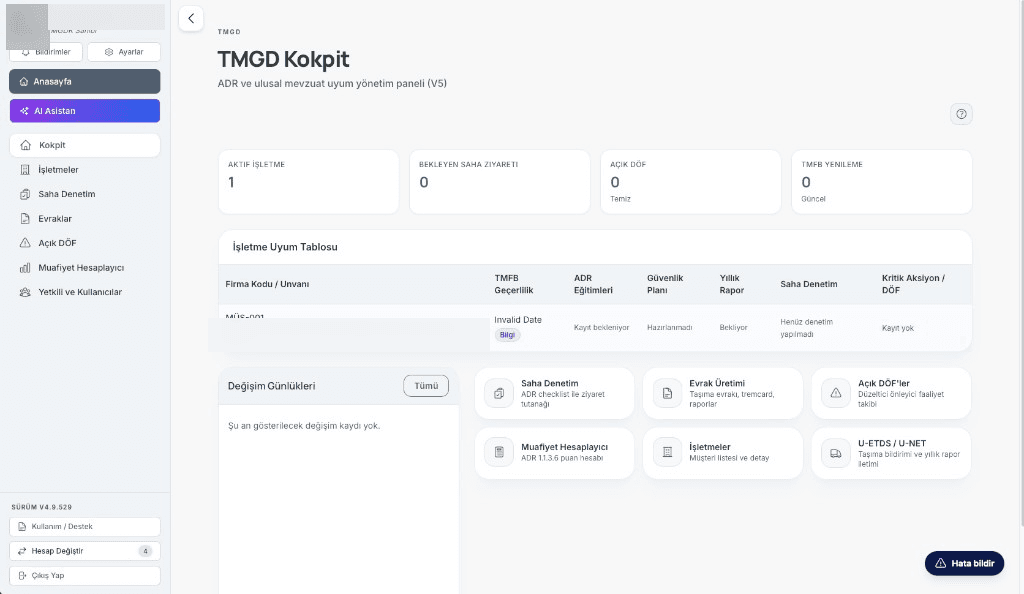
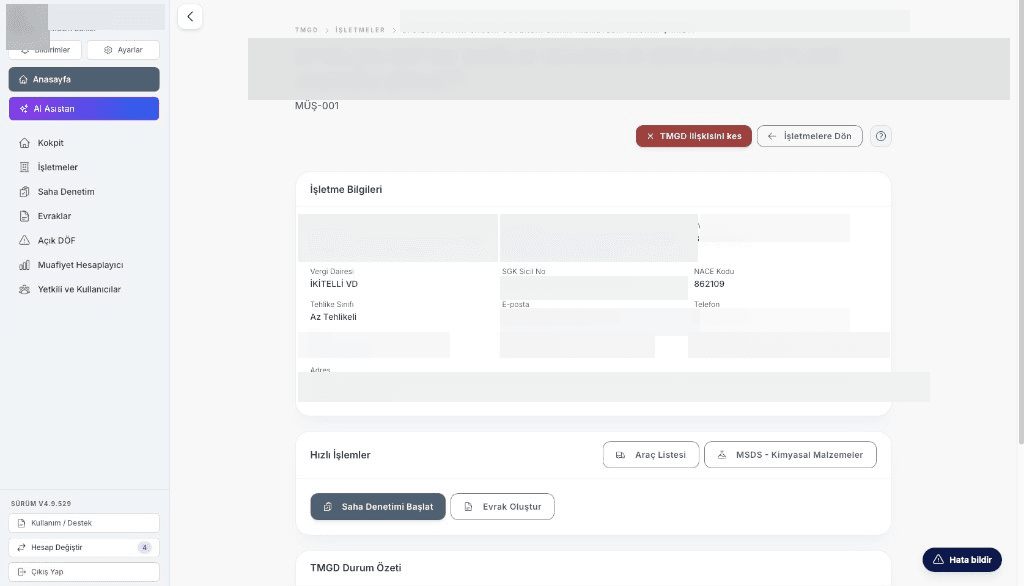
Monthly, quarterly or post-incident visits follow ADR provisions; the visit report is generated digitally on site.
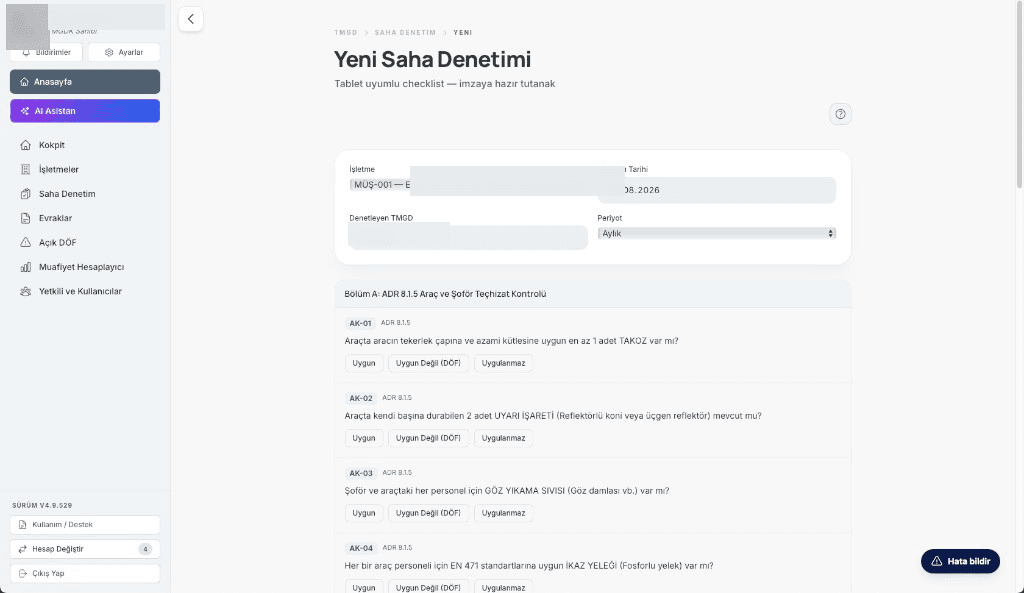
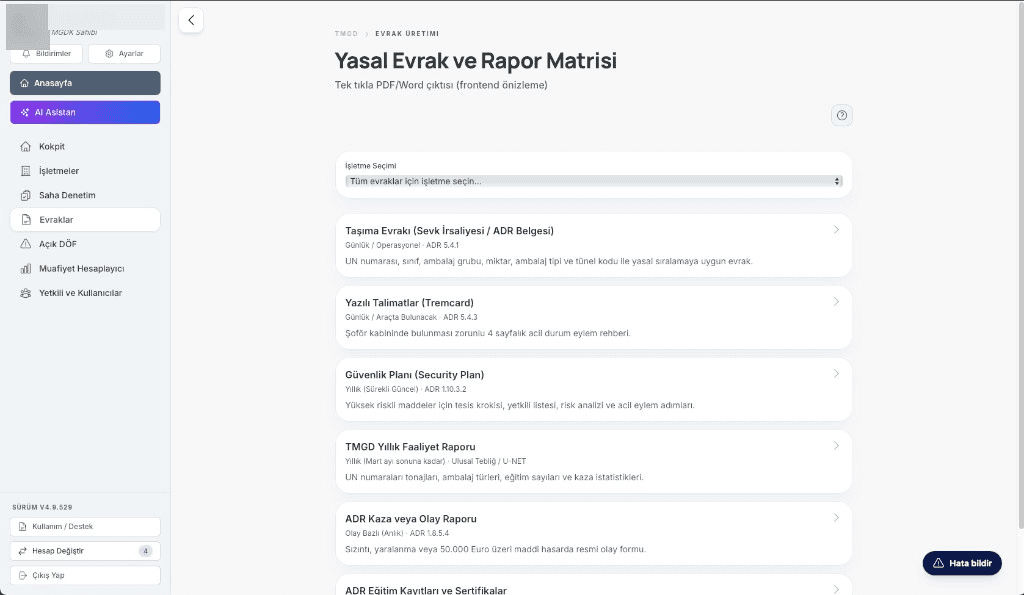
Activity type, ADR classes and regulatory obligations are kept per company; the compliance table is easy to follow.
Safety data sheets (MSDS/SDS) in a digital archive; ADR vehicle approval and SRC 5 driver certificate validity visible in each vehicle file.
Non-conformities found during inspections are opened as CAPAs; owner, due date and closure are tracked in the cockpit.
Transport notifications and annual reports are submitted to the Turkish Ministry of Transport’s official systems; submission history is kept on record.
ADR 1.1.3.6 partial exemption points are calculated in the system; threshold exceedances are flagged in advance.
Transport documents, TREM cards (instructions in writing) and the annual DGSA report are generated from templates; outputs are finalized with e-signature.
AOFC HR
Manage job postings, the candidate pool, interviews and offers in a single pipeline. Full details on the HR product page.
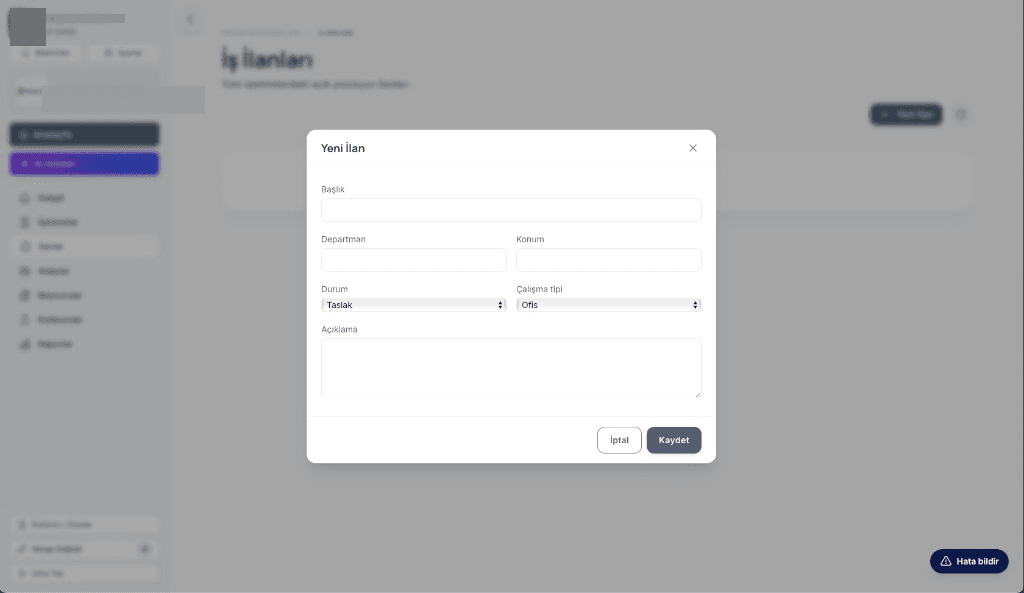
Active job postings, candidates and applications at a glance; postings are managed through draft, active and closed statuses.
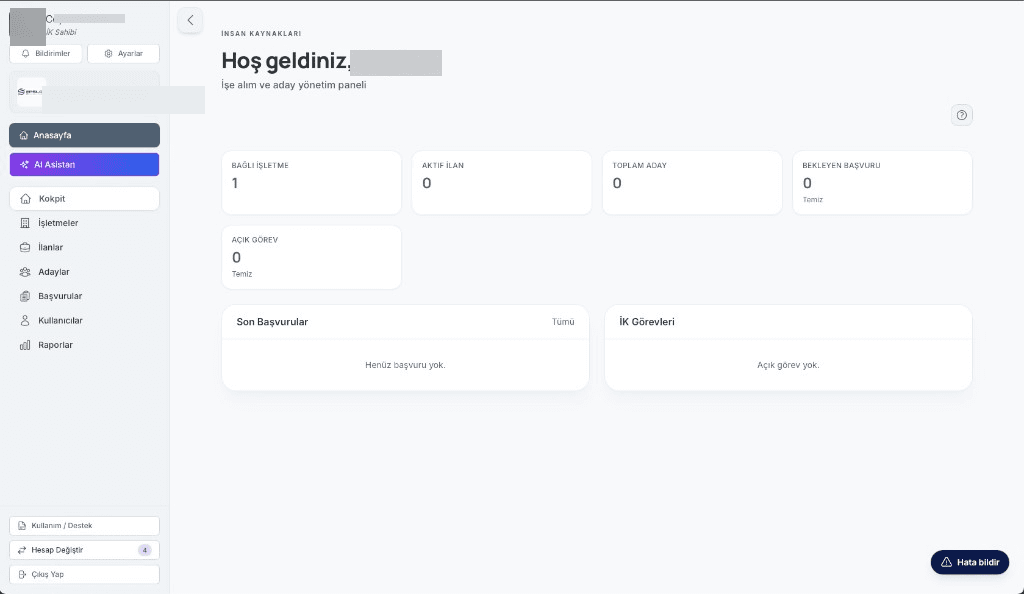
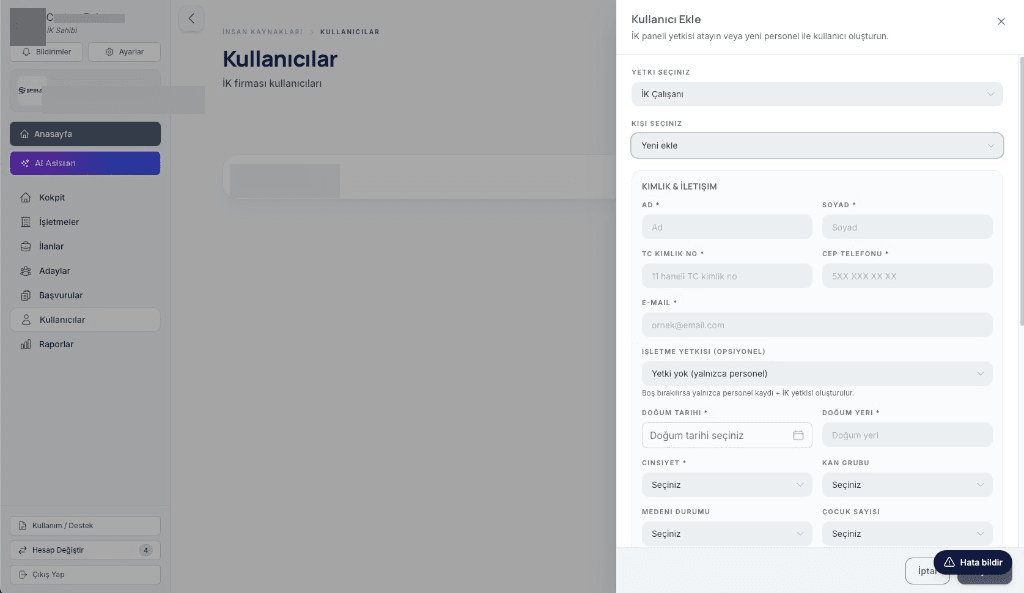
Candidate profiles, CVs and skills in a single pool; full-text search finds the right candidate in seconds.
Defined stages from pre-screening to offer; duplicate applications to the same posting are blocked and bottlenecks are visible.
HR, technical, manager and final interviews are scheduled; calendar conflicts are prevented.
Competency scoring and legal/training checklists ensure every stage closes with a clear decision.
CV, diploma, certificates and medical report in the candidate file; missing documents are highlighted.
Offers are prepared with salary, benefits and start date; acceptance, rejection and expiry are tracked.
An accepted candidate becomes an employee record in one click; onboarding tasks are defined from day one.
Getting started
Start with OSGB, Business, TMGD, HR or Individual; expand as your team grows.
Add client workplaces, specialists, authorized persons and employees; configure the permission matrix.
Mobile data entry, approval flows, reports and official notifications run on the same backbone.
Employee lists, qualifications, PPE and medical records are gathered in digital files.
Trainings, inspections, site visits and CAPA on a single calendar; conflicts are visible.
Inspection reports, measurements and checklists are completed on mobile and reach the office instantly.
Processes follow defined approval flows; outputs are finalized with e-signature.
Plans, inspection reports and statutory notifications are prepared as PDF or Excel.
Open items, deadlines and risks stand out in the cockpit; no obligation is missed.
Contact
Contact our team directly with your questions, setup needs or plan selection.
Membership
At AOFC, membership is tied to your account, not to a product. Using any product makes you an AOFC member; you sign in to the web panel and the mobile apps with the same credentials.
Your membership is created with your consent and can be deleted at any time. After purchase, your sign-in details are sent to your email address.
AOFC Individual for your personal needs. Your training, documents, OHS, health and career records are kept in an account that is yours alone.
The company administrator who purchases OSGB, Business, TMGD or HR becomes an AOFC member and is automatically enrolled in the other products and modules. Specialists and employees become members once they are added to the system.
If your account is active, continue to the web panel. The mobile apps use the same credentials.
Go to panelChoose the Individual plan for a personal membership. Your account is activated after payment and confirmation.
View Individual plansExplore our corporate products. The purchasing administrator becomes a member; team members become members once added to the system.
Explore productsPlans and pricing
Compare plans by product. Purchasing is completed on the pricing page.
Loading plans…
Whatever your area of expertise, AOFC has a module that fits you.